


Zendesk is a customer support and ticketing platform — not a CRM. It is built to manage support requests, help desk queues, and customer service workflows. Salesforce is the CRM where sales teams manage leads, opportunities, and account relationships. When both platforms are in use, the gap between support context and sales context creates real problems: sales reps call to upsell without knowing a customer has three open critical tickets, and support agents respond to complaints without knowing the account is mid-renewal. Knit's Zendesk-Salesforce integration bridges this gap — syncing Zendesk tickets to Salesforce as cases, keeping contacts and accounts aligned in both directions, and surfacing support history in the CRM and deal status in the helpdesk automatically.


Automate your Zendesk – Salesforce Support and CRM Sync
Sync Zendesk support tickets and Salesforce customer data automatically — full context visible to both teams, with custom field mapping the native connector can't match.
 4.9/5 on G2·
 Google for Startups Accelerator












Support and Sales, Always in Sync
When support lives in Zendesk and sales lives in Salesforce, customer context falls through the gap. Knit keeps both in sync — tickets, contacts, and account data included.
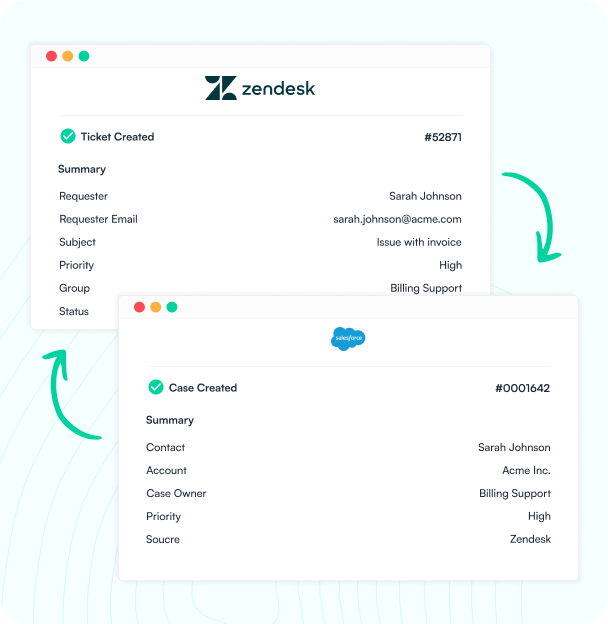
Ticket & Case Sync
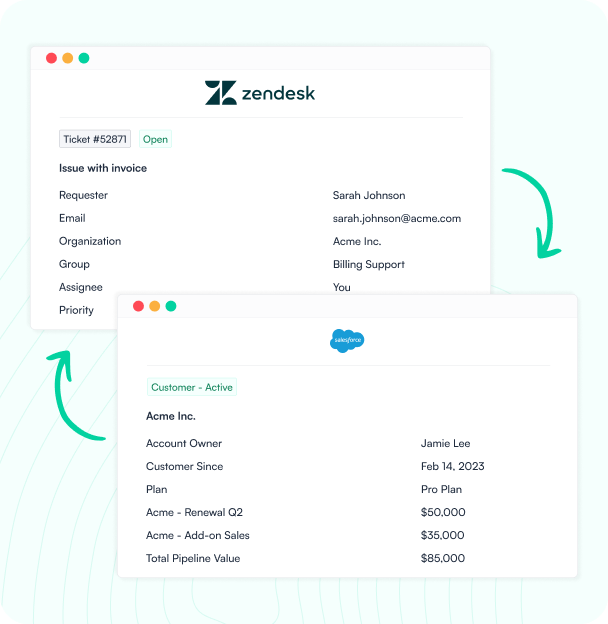
Zendesk tickets sync to Salesforce as cases — support context visible to sales reps without leaving the CRM.
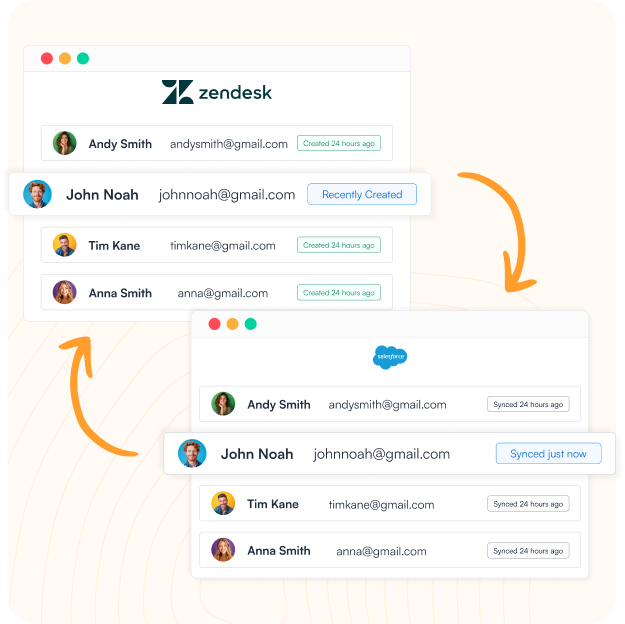
Contact & Account Sync
Customer contacts and accounts stay aligned between Zendesk and Salesforce — one record, no duplicate customer profiles.
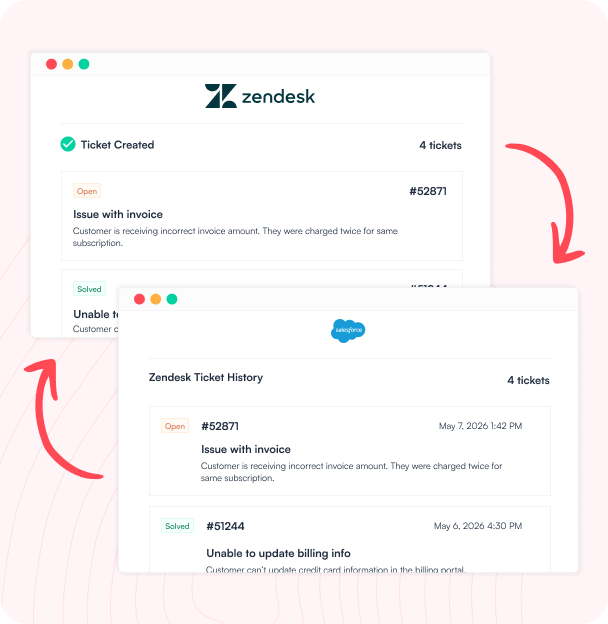
Support History in Salesforce
Zendesk support interactions and ticket history surface in Salesforce — sales sees the full picture before every customer call.
Deal Visibility in Zendesk
Open Salesforce opportunities and account status surface in Zendesk — support agents know which customers are active deals.
Tickets and Deals, Fully Connected
Knit connects Zendesk and Salesforce across tickets, contacts, and accounts — with custom field mapping and sync monitoring the native integration doesn't provide.
Ticket & Case Sync
Zendesk tickets sync to Salesforce automatically — support context visible to every sales rep in the CRM, no manual entry.
Contact & Account Sync
Customer contacts and accounts sync bidirectionally between Zendesk and Salesforce — one source of truth, no duplicated customer profiles.
Support History in Salesforce
Zendesk ticket history and support interactions surface in Salesforce — sales sees the full customer picture before every call.
Deal Visibility in Zendesk
Open Salesforce opportunities and account status surface in Zendesk — support agents know which customers are active deals before they respond.
From Setup to Live in Minutes
No engineers, no Zendesk admin projects, no custom field mapping sessions. Connect Zendesk and Salesforce through Knit's no-code workflow builder in one session.

Connect Your Apps
Authorize Zendesk and Salesforce through Knit's secure connections — no API keys to manage

Map Your Objects
Map Zendesk tickets and contacts to Salesforce cases, contacts, and accounts using Knit's visual mapper. No code required.

Go Live
Activate the sync. Zendesk tickets and Salesforce account data flow bidirectionally — in real time, on a schedule, or on trigger.

Knit Handles the Rest
Knit monitors every sync, alerts you to mapping gaps, and handles API changes from either platform automatically.
#1 in Ease of Integrations

4.9 out of 5 stars on G2



Frequently Asked Questions
Is Zendesk a CRM or ticketing system?
How do you sync Zendesk tickets to Salesforce?
With Knit, you connect Zendesk and Salesforce via secure OAuth, configure your object mapping (Zendesk tickets to Salesforce cases, Zendesk contacts to Salesforce contacts and accounts), and activate the sync. From that point, Zendesk tickets flow to Salesforce automatically whenever a trigger condition is met — and Salesforce account and opportunity data surfaces in Zendesk so support agents always have deal context before they respond.
What data syncs between Zendesk and Salesforce?
The most common data objects synced between Zendesk and Salesforce include: tickets and cases (Zendesk tickets synced to Salesforce as cases, with status, priority, and comments), contacts and accounts (customer records kept current in both platforms), support history (Zendesk ticket history surfaced in Salesforce for full customer context), and deal and opportunity data (Salesforce opportunity and account status visible in Zendesk). Knit supports custom field mapping for any standard or custom fields in either system.
Can Salesforce see Zendesk tickets?
Yes. With Knit's Zendesk-Salesforce integration, Zendesk tickets sync to Salesforce as cases — giving sales reps and account managers full visibility into open support issues, ticket history, and resolution status directly within Salesforce. The integration is bidirectional: support agents in Zendesk can also see open Salesforce opportunities and account status, so they know which customers are active deals before they respond.
Related Workflows

Jira – Salesforce Issue and Case Sync
Sync Jira issues and Salesforce cases automatically — sales visibility into engineering work, no manual ticket creation, and deal commitments tracked without…

Zendesk – Slack New Ticket Alerts
Get instant Slack alerts for every new Zendesk ticket, priority escalation, and SLA breach — support teams respond faster without watching the…


Shopify – QuickBooks Sales and Inventory Sync
Sync Shopify orders to QuickBooks automatically — sales posted, customers matched, inventory updated, and payouts reconciled without manual exports or re-entry.