


Yes. Knit provides a no-code integration between ADP and QuickBooks that posts journal entries and updates GL accounts automatically the moment payroll is approved, with payroll data landed in the right accounts every time.


Automate your ADP – QuickBooks Payroll Sync
Sync ADP payroll to QuickBooks automatically — journal entries posted, GL accounts updated, and payroll data landed in the right accounts the moment payroll is approved.
Try:
Trusted by teams already building on Knit· 4.9/5 on G2·
 Google for Startups Accelerator
4.9/5 on G2·Google for Startups Accelerator












Post Payroll to QuickBooks Automatically
Every ADP payroll run means manual journal entries in QuickBooks. Knit automates the full sync — from approved payroll to posted GL entries with no manual steps.
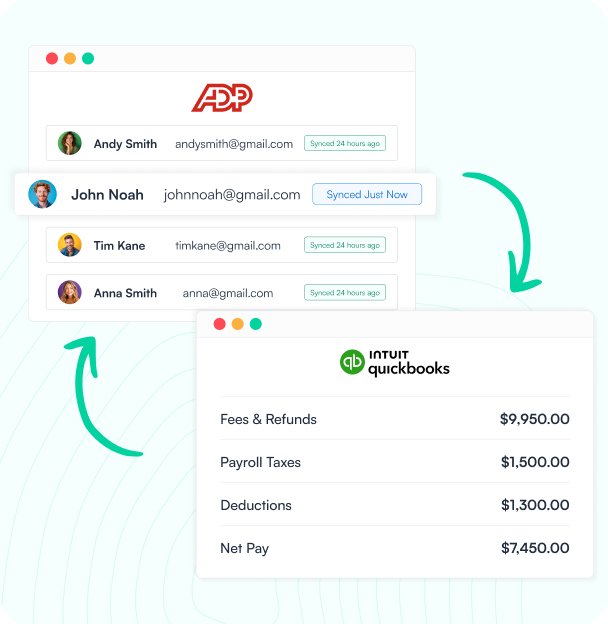
Payroll Run Approved in ADP
When ADP processes payroll, Knit captures finalized pay, taxes, and deductions and queues them for QuickBooks.
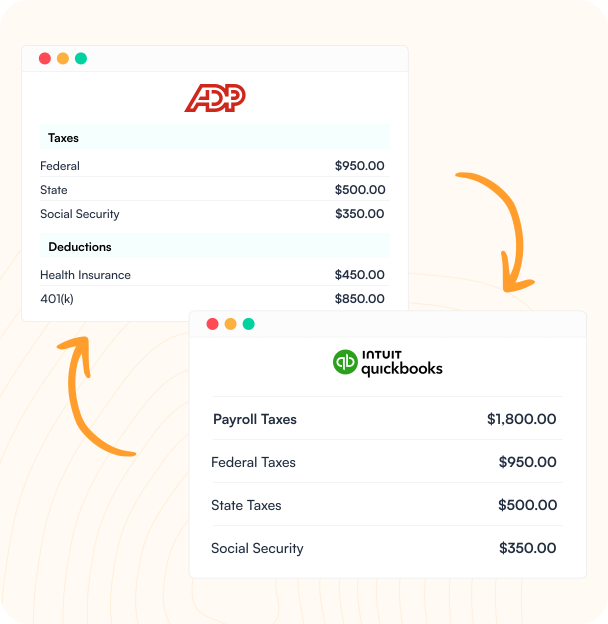
Mapped to QuickBooks Accounts
Knit maps ADP pay codes and departments to your QuickBooks chart of accounts — no manual account lookup required.
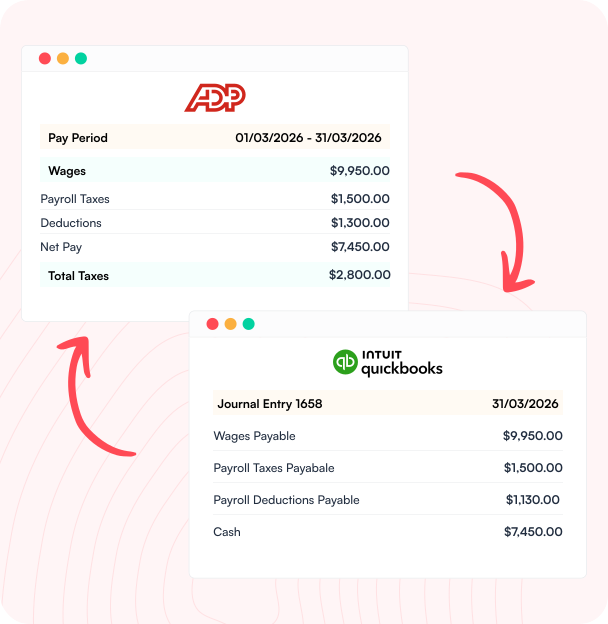
Journal Entries Posted to QuickBooks
A balanced journal entry posts to QuickBooks for every payroll run — broken out by pay type and department.
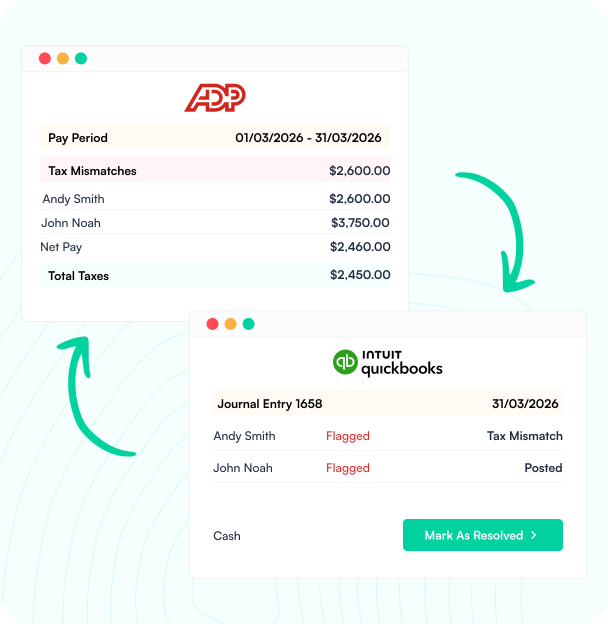
Reconcile With Confidence
Every sync produces a reconciliation summary so you can verify ADP totals match QuickBooks before the period closes.
Payroll That Reconciles Itself
Knit handles journal entries, tax sync, and payroll reconciliation between ADP and QuickBooks — so your team stops doing it manually.
Journal Entry Automation
Auto-post balanced QuickBooks journal entries from every ADP payroll run, broken down by pay type, tax, and deduction.
Tax & Deductions Sync
Tax liabilities, benefits deductions, and garnishments flow from ADP to QuickBooks with full line-item detail every pay period.
Department & Class Tracking
Map ADP departments to QuickBooks classes — labor costs land in the right bucket every time, no month-end remapping.
Payroll Reconciliation
Verify payroll totals match between ADP and QuickBooks after every sync — catch discrepancies before you close the period.
How it Works
From Setup to Live in Minutes
No engineers, no custom code, no weeks of GL mapping. Connect ADP and QuickBooks through Knit's no-code workflow builder and go live in one session.

Connect Your Apps
Authorize ADP and QuickBooks through Knit's secure connections — no API keys to manage, no credentials stored on our servers.

Map Your Accounts
Use Knit's visual mapper to connect ADP pay codes and departments to your QuickBooks chart of accounts. No code required.

Go Live
Activate the sync. From your next payroll run, ADP data posts to QuickBooks automatically — on approval, on a schedule, or in real time.

Knit Handles the Rest
Knit monitors every sync, alerts you to mapping gaps, and handles API changes automatically — your workflow keeps running.
#1 in Ease of Integrations

4.9 out of 5 stars on G2



Frequently Asked Questions
Does ADP integrate with QuickBooks?
How do you sync ADP payroll to QuickBooks automatically?
When ADP processes payroll, Knit captures finalized pay, taxes, and deductions, maps ADP pay codes and departments to your QuickBooks chart of accounts, and posts a balanced journal entry broken out by pay type and department.
What data syncs between ADP and QuickBooks?
The most common data synced includes journal entries, tax and benefits deduction liabilities, department-to-class mapping, and a reconciliation summary verifying that ADP totals match QuickBooks after every run.
Does the ADP-QuickBooks sync catch payroll discrepancies?
Yes — every sync produces a reconciliation summary so you can verify ADP totals match QuickBooks before closing the period, catching discrepancies before they become an audit finding instead of after.
Related Workflows


Paylocity – NetSuite Payroll Sync
Sync payroll data from Paylocity to NetSuite automatically — journal entries, cost allocations, and deductions posted to the right accounts the moment…
ADP – NetSuite Payroll Sync
Sync ADP payroll to NetSuite automatically — journal entries posted, GL accounts updated, and employee records synced without CSV exports or manual…

Rippling To Netsuite Seamlessly
Sync Rippling payroll and HR data to NetSuite automatically — journal entries posted, employee records updated, and cost centers mapped without manual…