



Yes. Knit provides a no-code integration between Stripe and QuickBooks that automatically syncs payments, refunds, fees, adjustments, and payouts — posting entries to the correct QuickBooks income and expense accounts after every transaction. No manual exports, no generic catch-all buckets, and no daily reconciliation sessions required.


Automate your Stripe – QuickBooks Payment and Reconciliation Sync
Sync Stripe payments to QuickBooks automatically — transactions posted, fees recorded, refunds matched, and payouts reconciled without manual exports or re-entry.
Try:
Trusted by teams already building on Knit· 4.9/5 on G2·
 Google for Startups Accelerator
4.9/5 on G2·Google for Startups Accelerator












Every Stripe Payment, Posted Automatically
Every Stripe payment means entries to make in QuickBooks. Knit captures the transaction the moment it clears — fees, taxes, and refunds included, accounts mapped correctly.
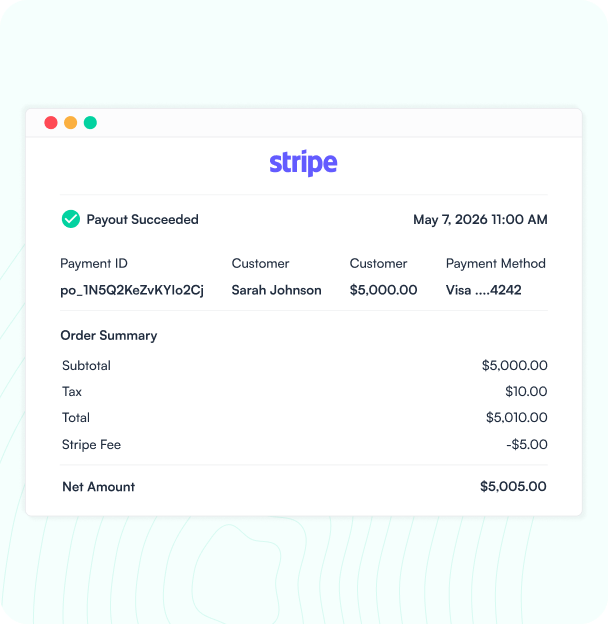
Payment Received in Stripe
When a payment, refund, or adjustment occurs in Stripe, Knit captures the transaction details for QuickBooks.

Mapped to QuickBooks Accounts
Knit maps Stripe payments, fees, and taxes to your QuickBooks income and expense accounts — no generic catch-all bucket.
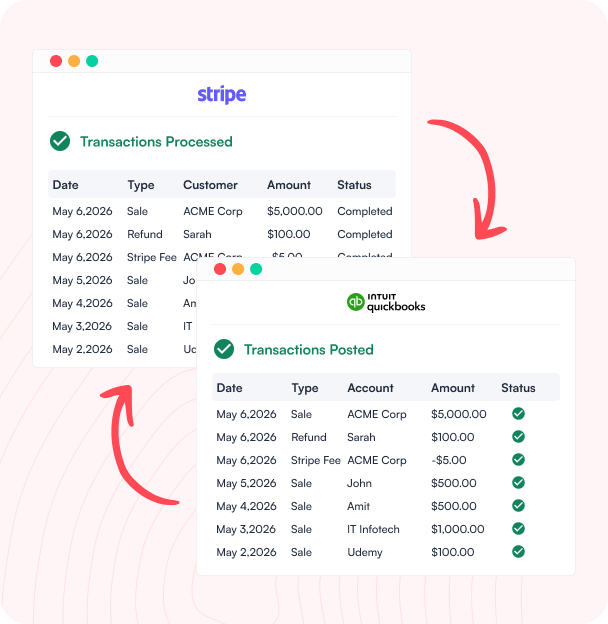
Entries Posted to QuickBooks
Sales receipts, fees, and refunds post to QuickBooks automatically — each transaction categorized and audit-ready.
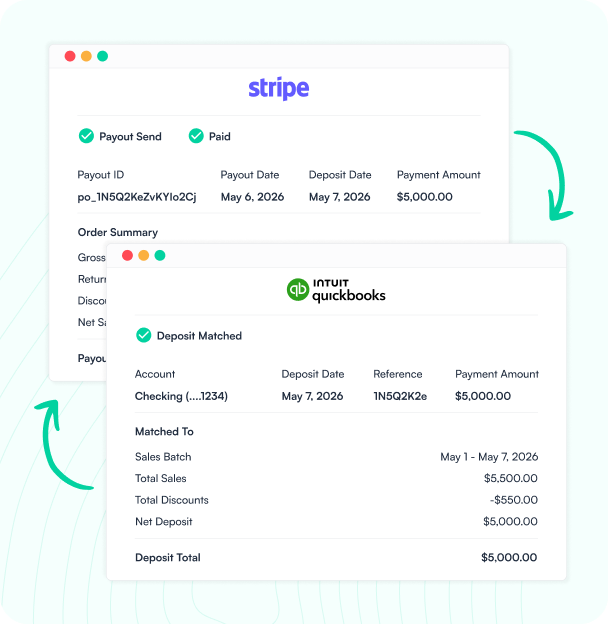
Payout Reconciled Against Bank
When Stripe pays out, Knit matches the payout to QuickBooks — reconcile your bank feed without the guesswork
Your Books, Always Clean
Knit syncs Stripe payments, fees, refunds, and payouts to QuickBooks — so your books stay clean without touching data after every transaction.
Payment & Transaction Sync
Stripe payments, refunds, and adjustments post to QuickBooks automatically — every transaction categorized and audit-ready, no manual entry.
Fee & Tax Recording
Stripe processing fees and taxes map to QuickBooks expense accounts automatically — no manual fee breakdowns after every payout.
Refund & Dispute Matching
Stripe refunds and chargebacks sync to QuickBooks automatically — matched and recorded before they hit your bank feed.
Payout Reconciliation
Stripe payout data syncs to QuickBooks — match bank deposits to transaction totals without hunting through individual records.
How it works
From Setup to Live in Minutes
No engineers, no manual exports, no daily payout reconciliation sessions. Connect Stripe and QuickBooks through Knit's no-code workflow builder in one session.

Connect Your Apps
Authorize Stripe and QuickBooks through Knit's secure connections — no API keys to manage, no credentials stored on our servers.

Map Your Accounts
Map Stripe payment types, fees, and refunds to QuickBooks income and expense accounts using Knit's visual mapper. No code required.

Go Live
Activate the sync. Stripe payments and payouts post to QuickBooks automatically — in real time or on a daily schedule.

Knit Handles the Rest
Knit monitors every sync, alerts you to mapping gaps, and handles API changes from either app automatically.
#1 in Ease of Integrations

4.9 out of 5 stars on G2




Frequently Asked Questions
Does Stripe integrate with QuickBooks?
How do you sync Stripe payments to QuickBooks automatically?
With Knit, when a payment, refund, or adjustment occurs in Stripe, Knit captures the transaction details and applies your configured account mapping — Stripe payment types to QuickBooks income accounts, processing fees to expense accounts, and refunds to the appropriate contra accounts. Entries post to QuickBooks automatically, and when Stripe pays out, Knit matches the payout total to your QuickBooks transactions so bank reconciliation is straightforward.
What data syncs from Stripe to QuickBooks?
The most common data synced from Stripe to QuickBooks includes: payments (sales receipts or journal entries posted per transaction), processing fees (Stripe fees mapped to QuickBooks expense accounts), refunds (matched and recorded against original transactions), disputes and chargebacks (synced and categorized automatically), adjustments (recorded to appropriate accounts), and payout data (Stripe payouts matched to QuickBooks bank deposits for reconciliation).
What is the best Stripe QuickBooks integration?
Several options exist for connecting Stripe and QuickBooks, including the native Stripe Connector by QuickBooks (Intuit), Commerce Sync, and Acodei. The native connector is free and imports transactions directly into QuickBooks' App Transactions tab — suitable for simple setups. For businesses with complex Stripe configurations (subscriptions, multiple products, international transactions, or detailed fee tracking), third-party integrations like Knit provide granular account mapping, fee-level control, and sync monitoring that the native connector lacks.
Related Workflows


Shopify – NetSuite Orders Sync
Sync Shopify orders to NetSuite automatically — sales orders created, inventory updated, and fulfillment tracked without manual exports or data re-entry.

Shopify – QuickBooks Sales and Inventory Sync
Sync Shopify orders to QuickBooks automatically — sales posted, customers matched, inventory updated, and payouts reconciled without manual exports or re-entry.
Shopify – NetSuite Invoice Reconciliation
Match Shopify orders and payouts to NetSuite invoices and bank deposits automatically — no manual exports, no spreadsheet reconciliation, and no discrepancies…