



Yes. Knit provides a no-code integration between HubSpot and Stripe that automatically syncs Stripe payments, subscriptions, and customer data to HubSpot contacts and deals — in real time or on a schedule. Payment history, subscription status, MRR, and failed payment signals all surface in HubSpot without manual exports or Zapier workarounds.


Automate your HubSpot – Stripe Payment and Revenue Sync
Sync Stripe payments and subscriptions to HubSpot automatically — contacts updated, revenue visible in the CRM, and payment status tracked without manual exports or re-entry.
Try:
Trusted by teams already building on Knit· 4.9/5 on G2·
 Google for Startups Accelerator
4.9/5 on G2·Google for Startups Accelerator












Sync Stripe Payment to HubSpot — Automatically
Every Stripe payment is a revenue event that should be visible in HubSpot. Knit captures the charge the moment it clears and updates the right contact and deal — automatically.
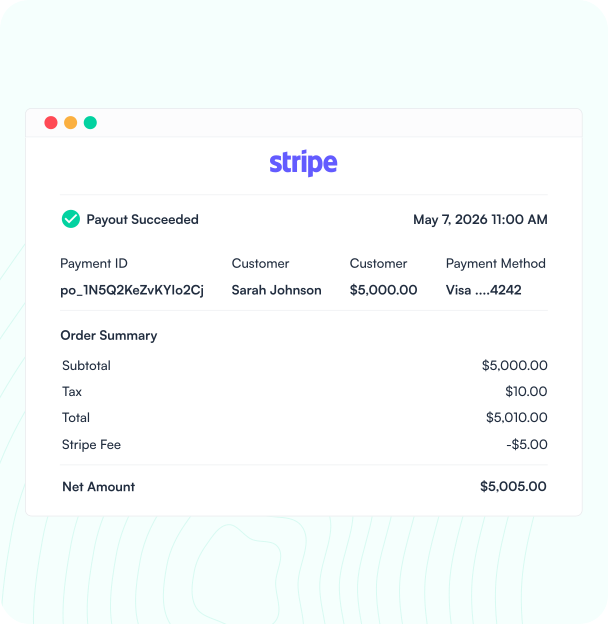
Payment or Subscription in Stripe
When a payment is made or a subscription created in Stripe, Knit captures the event for HubSpot.
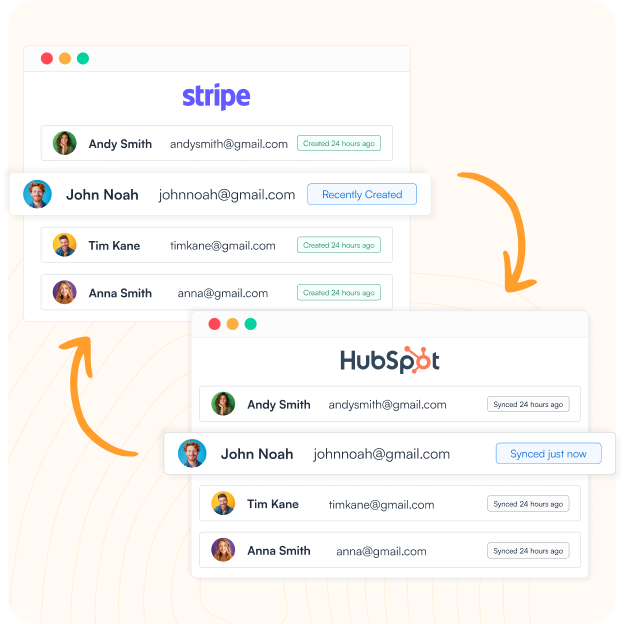
Contact Matched in HubSpot
Knit matches the Stripe customer to a HubSpot contact — created or updated, never duplicated across systems.
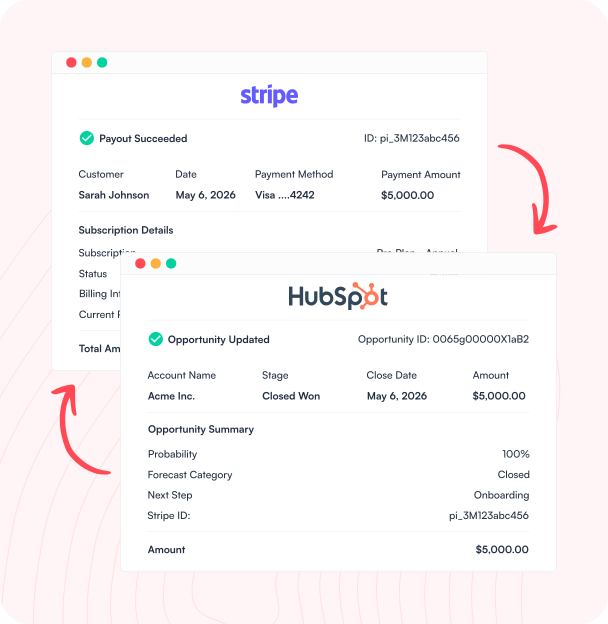
Deal and Revenue Updated
Payment amount, subscription status, and plan data update the associated HubSpot deal — revenue data always current in the CRM.
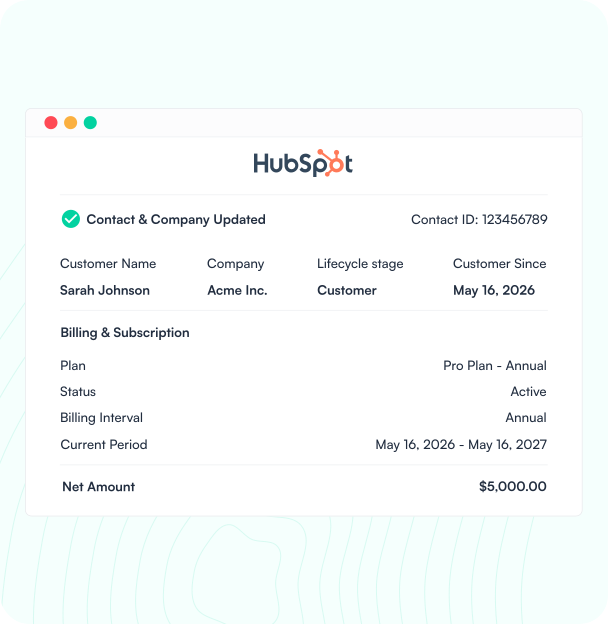
Payment Status Visible in HubSpot
Stripe payment history and subscription status surface in HubSpot — sales and success see the full billing picture without leaving the CRM.
Revenue That's Always Visible in HubSpot
Knit syncs Stripe payments, subscriptions, and customer data to HubSpot — so your revenue is always visible in the CRM without manual updates.
Payment & Contact Sync
Stripe charges and customers sync to HubSpot contacts automatically — payment history attached to the right record every time.
Subscription & MRR Visibility
Stripe subscription data and MRR sync to HubSpot deals automatically — revenue always current without logging into Stripe to check.
Failed Payment & Churn Signals
Failed Stripe payments and cancellations sync to HubSpot automatically — CS teams see churn signals before the customer churns.
Revenue Reporting in HubSpot
Stripe revenue data flows into HubSpot for reporting — track MRR, ARR, and payment trends without building a separate dashboard.
How it works
From Setup to Live in Minutes
No engineers, no manual exports, no Zapier workarounds. Connect HubSpot and Stripe through Knit's no-code workflow builder in one session.

Connect Your Apps
Authorize HubSpot and Stripe through Knit's secure connections — no API keys to manage, no credentials stored on our servers.

Map Your Objects
Map Stripe customers, subscriptions, and charges to HubSpot contacts and deals using Knit's visual mapper. No code required.

Go Live
Activate the sync. Stripe payment events update HubSpot contacts and deals automatically — in real time or on a schedule.

Knit Handles the Rest
Knit monitors every sync, alerts you to mapping gaps, and handles API changes from either app automatically.
#1 in Ease of Integrations

4.9 out of 5 stars on G2



Frequently Asked Questions
Can Stripe integrate with HubSpot?
How do you sync Stripe payments to HubSpot?
With Knit, when a payment is made or a subscription created in Stripe, Knit captures the event, matches the Stripe customer to a HubSpot contact (creating one if it doesn't exist), and updates the associated HubSpot deal with payment amount, subscription status, and plan data. Failed payments and cancellations also sync automatically — giving customer success teams churn signals before they become lost accounts.
What data syncs between Stripe and HubSpot?
The most common data synced between Stripe and HubSpot includes: payments and charges (Stripe payments matched to HubSpot contact and deal records), customers and contacts (Stripe customers created or matched as HubSpot contacts), subscriptions and MRR (Stripe subscription status and monthly recurring revenue synced to HubSpot deals), failed payments (declined charges flagged in HubSpot for CS team follow-up), and cancellations and refunds (churn events surfaced in HubSpot automatically).
How do I see Stripe subscriptions in HubSpot?
With Knit's HubSpot-Stripe integration, Stripe subscription data syncs directly to HubSpot contact and deal records — including subscription status, plan name, MRR, billing cycle, and renewal dates. This means your sales and customer success teams can see the full billing picture for any contact or deal without leaving HubSpot or logging into Stripe separately.
Related Workflows


Salesforce – NetSuite Integration
Sync contacts, deals, orders, and invoices between Salesforce and NetSuite automatically — no manual exports, no duplicate data entry across your CRM…

HubSpot – NetSuite Integration
Sync contacts, deals, sales orders, and invoices between HubSpot and NetSuite automatically — no manual exports, no data gaps between your CRM…

HubSpot – QuickBooks Deal to Invoice Sync
Sync HubSpot deals to QuickBooks as invoices automatically — contacts matched, line items mapped, and payment status tracked without manual re-entry.